This store requires javascript to be enabled for some features to work correctly.

How to Delete safehous App Account Data

Instructions on how to delete your safehous App account (Google PlayIOS App)

1. Go to safehous App's Menu (Tap the three lines in the upper left corner) 

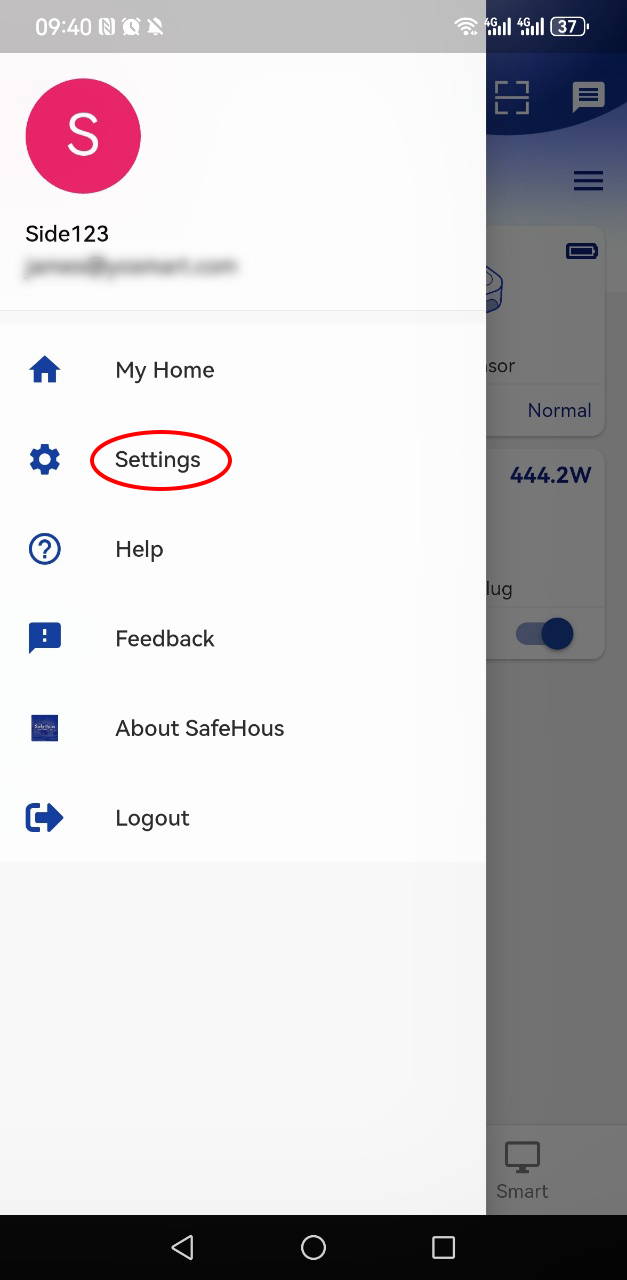
2. Go to Settings

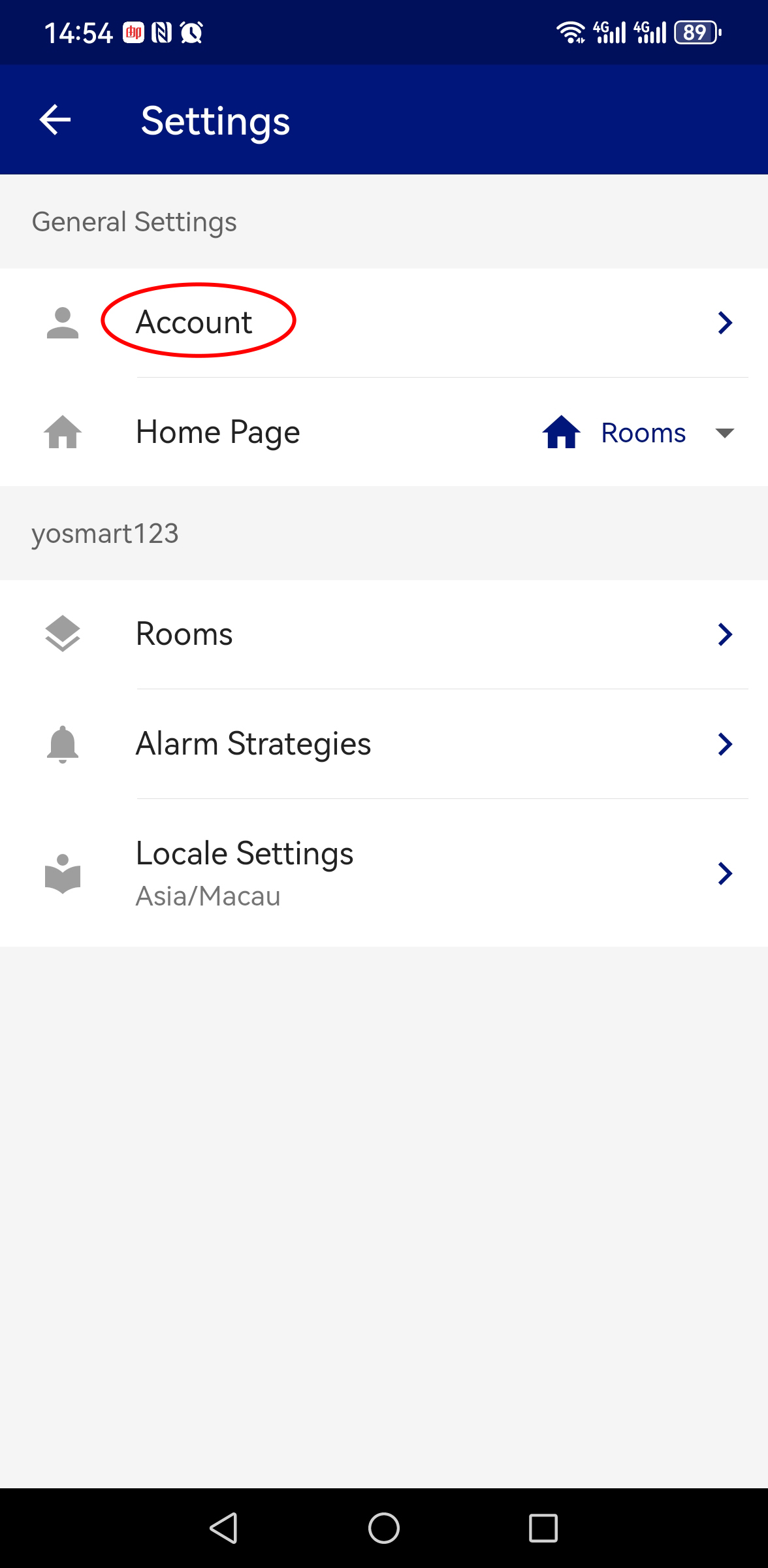
3. Go to Account
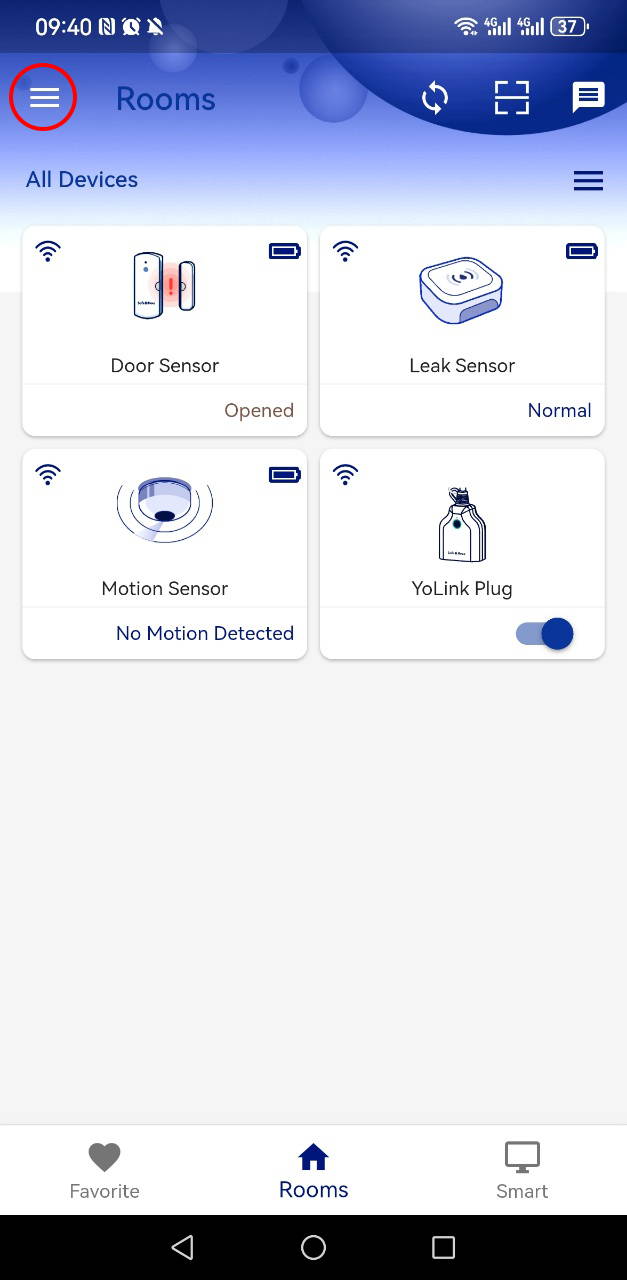

Home screen showing a list of smart devices. Tap the menu button in the top left corner to open navigation options.
Side navigation menu opened, showing user profile and menu options. Tap Settings to open the settings page.
Settings screen with general options. Tap Account to open account settings.


4. Go to Advanced Settings

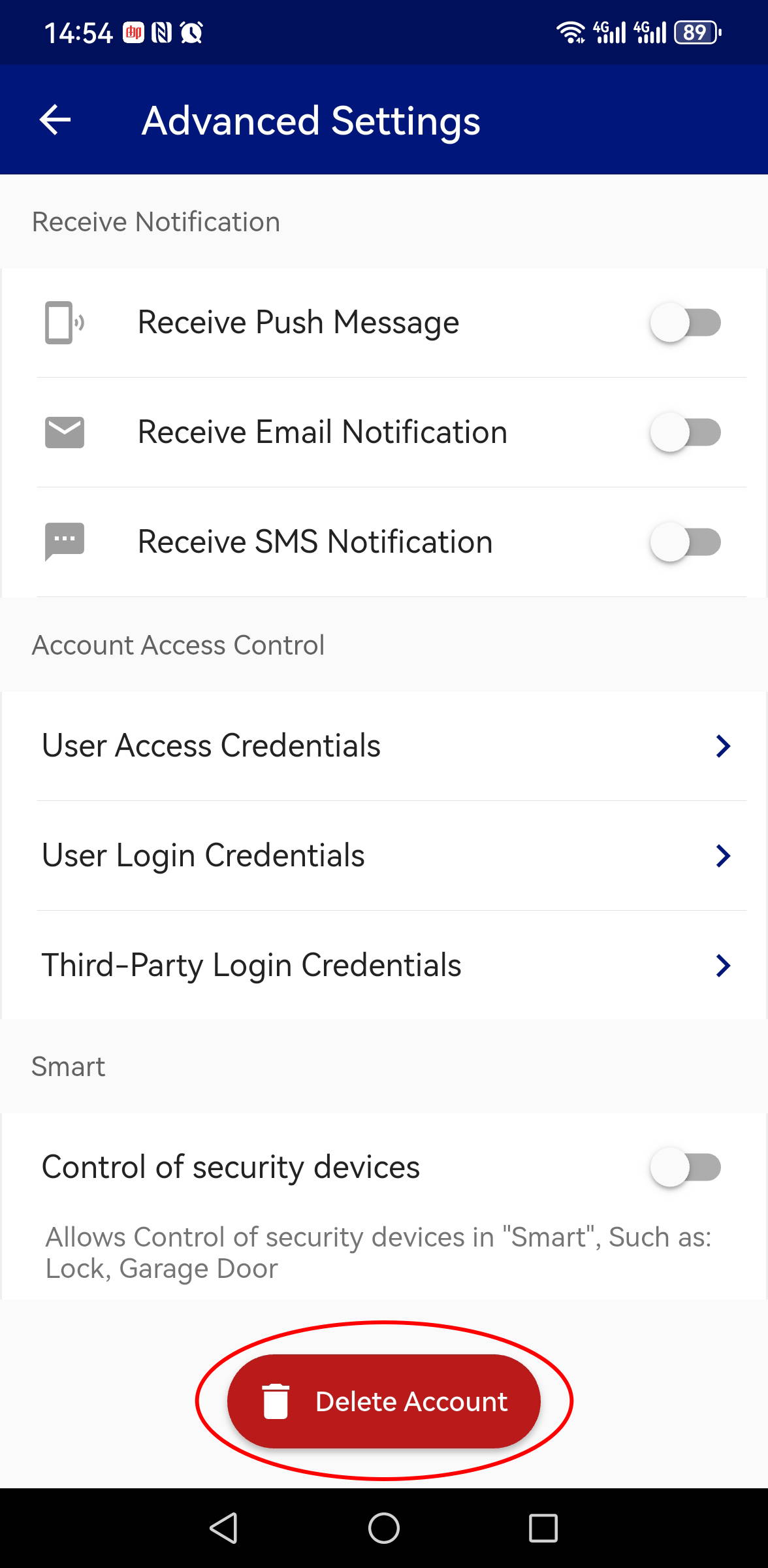
5. Tap Delete Account in the bottom.
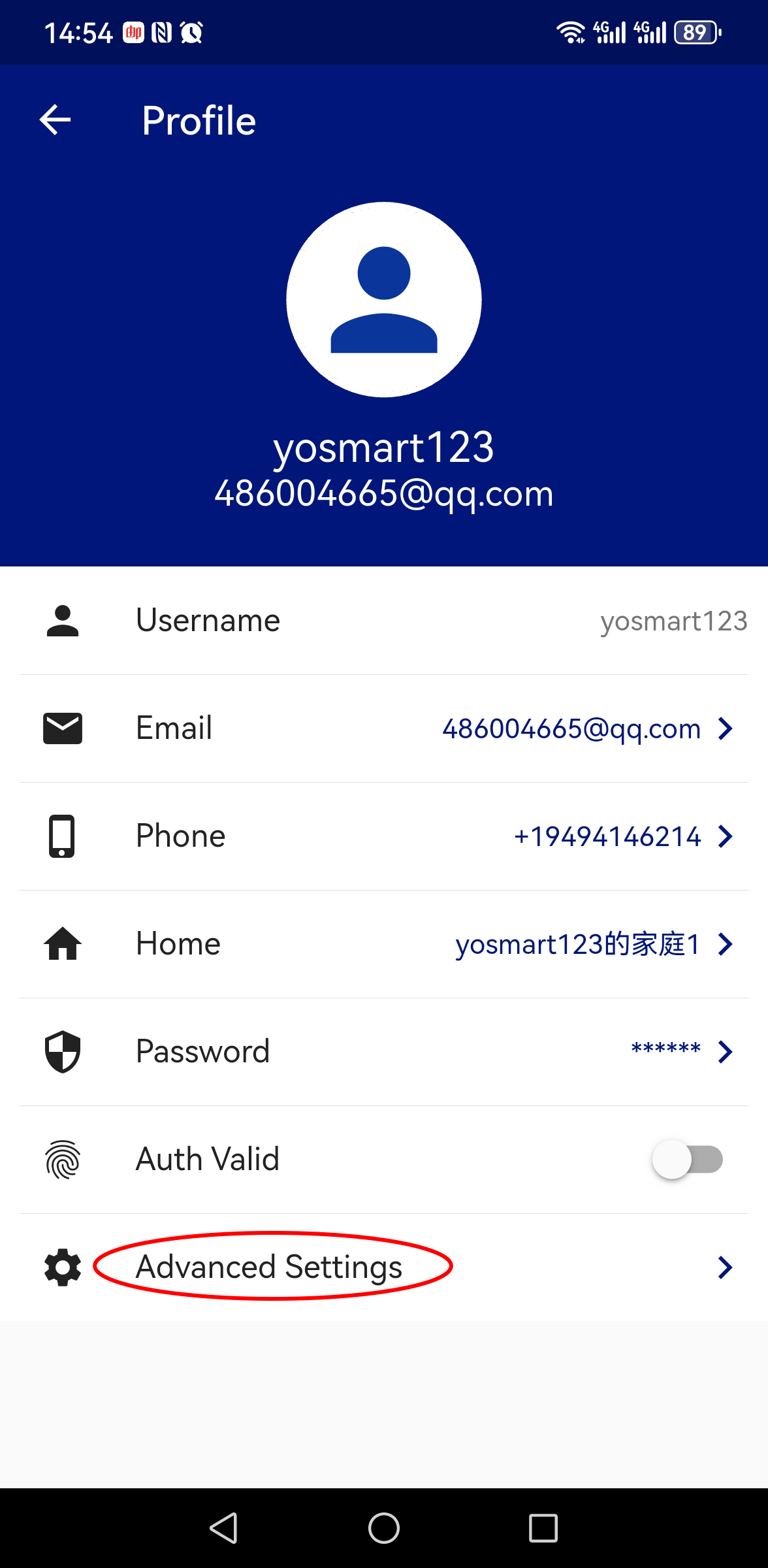
Profile screen showing account details. Tap Advanced Settings to open additional account options.
Advanced settings screen showing account options. Tap Delete Account to permanently remove your account and associated data.

Please note, after deleting your account, all your data in the app will be removed. This is an irreversible process and the data will not be able to be restored.